My morning cyber briefing now builds itself
Staying current is part of the job in security, but the intake has always been messy: Hacker News in one tab, a few newsletters, vendor advisories, the odd conference recording. Most of it gets skimmed in stolen minutes, and the commute is dead time on top of that.
In May, Spotify launched Studio by Spotify Labs, a standalone desktop app in research preview that generates personal audio from a prompt. It knows your Spotify taste, can browse the web on your behalf, and runs tasks on a schedule. The demos everyone shows are trip guide`s and playlists. I gave it a more boring job: a five minute cybersecurity briefing, generated every morning before I leave the house.
This post covers the setup, what it actually produces, where it breaks, and the caveat that matters if you work in security.
What Studio is
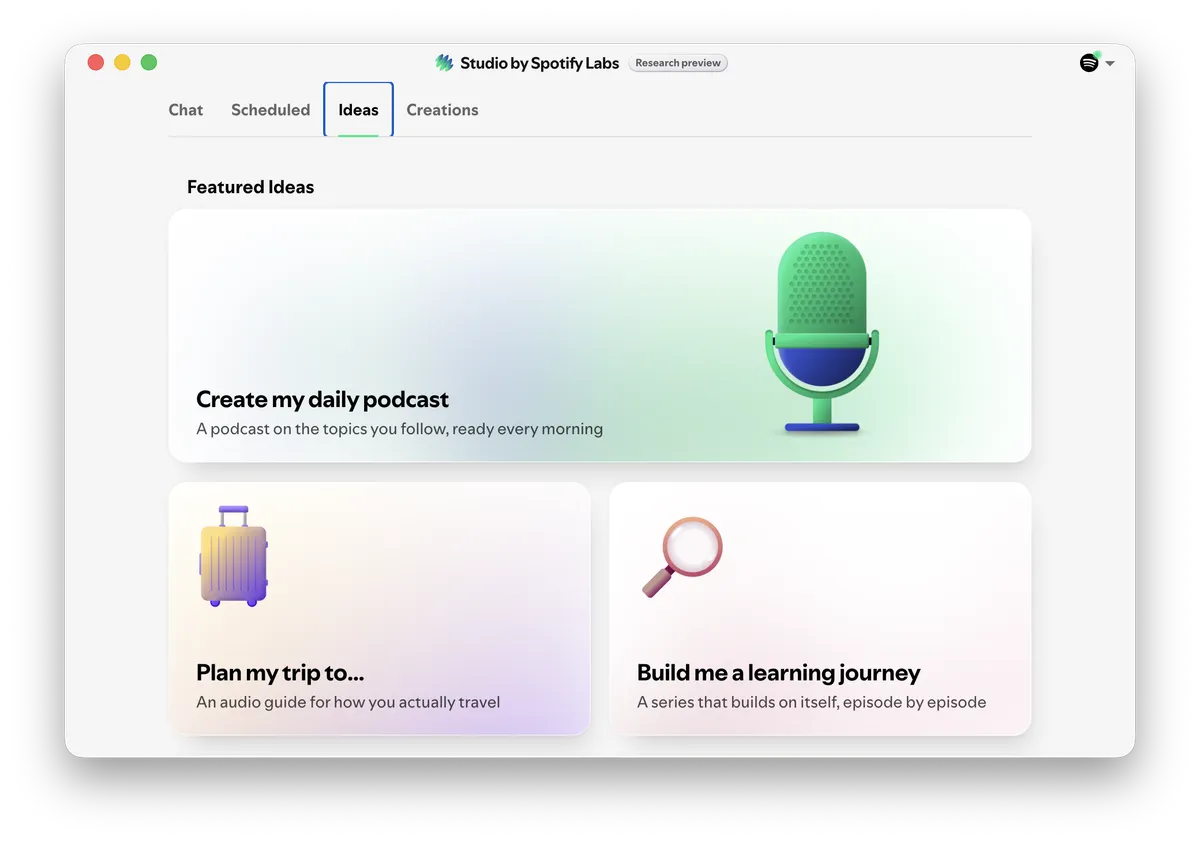
Studio is Spotify's first Labs experiment: an AI agent wrapped around your listening profile. It can research topics, browse the web in a separate browser profile, and optionally connect to your calendar, inbox, and notes. Whatever it generates saves into your Spotify library as private content, so the output sits next to your regular shows and syncs to your phone like any other podcast.
The Ideas tab suggests starting points: a daily podcast on topics you follow, audio travel guides, learning journeys that build a series episode by episode. Scheduled routines run in the background at whatever time you set.
It is a research preview, currently limited to selected users in more than 20 markets, and it behaves like one. More on that below.
The setup
The prompt is the whole product here. Mine, roughly:
Every morning, scan the major cybersecurity news sources. Pick the five stories that matter most to an application security and DevSecOps audience. For each one: what happened, who is affected, why it matters. Skip vendor marketing. Keep the full episode under five minutes.
Schedule it daily at 07:00 and it becomes a routine:
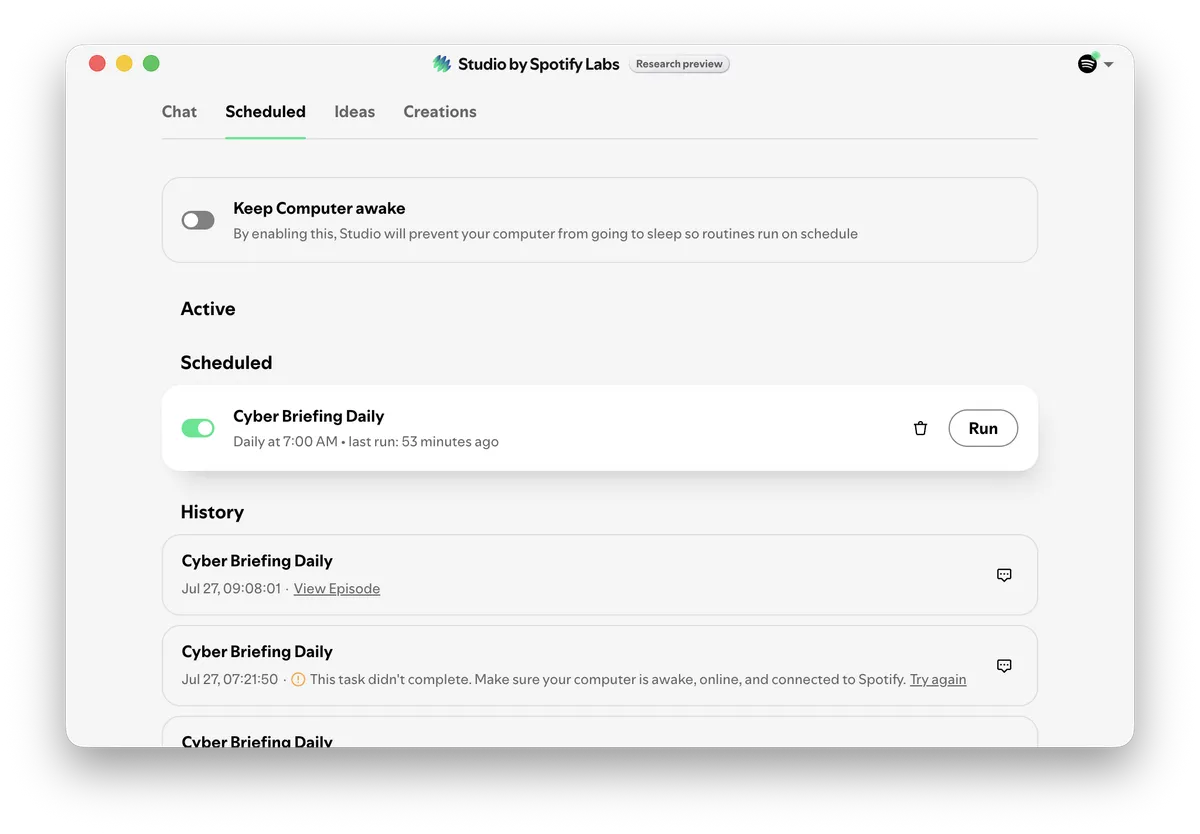
That is the entire build. No RSS plumbing, no summarizer glue code, no TTS step, no cron job to babysit. I build pipelines for a living, and I appreciated not having to build this one.
What comes out
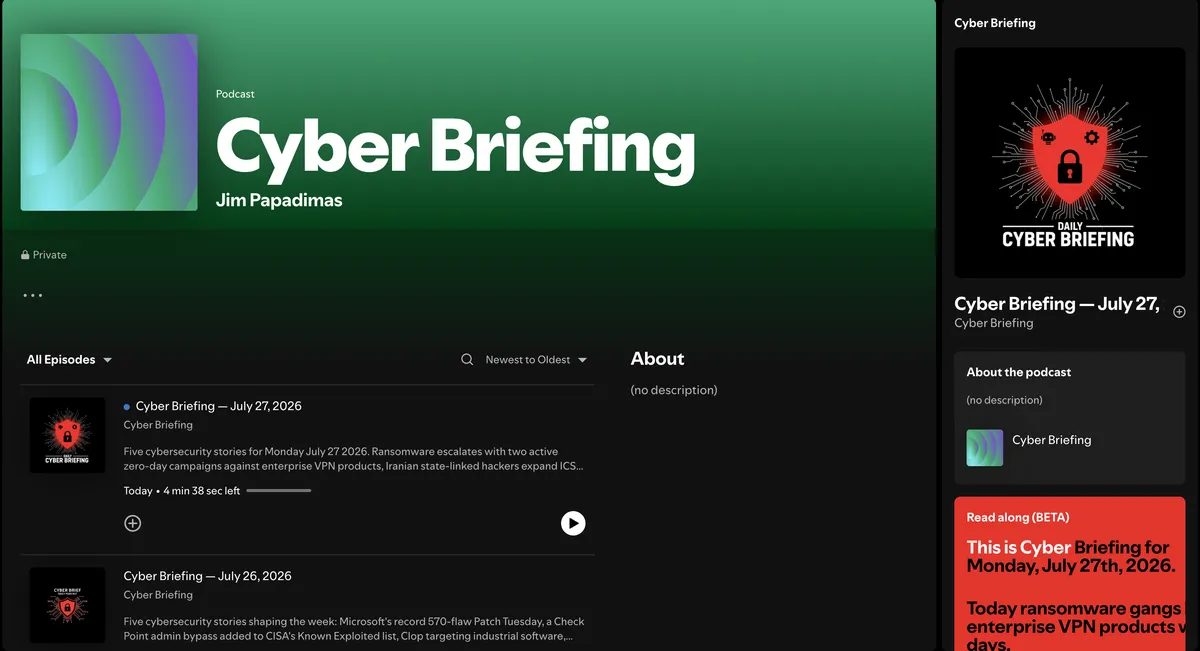
A private podcast called Cyber Briefing, one episode per day, four to five minutes long. Today's episode (27 July) covered two active zero-day campaigns against enterprise VPN products, Iran-linked actors expanding ICS targeting toward Siemens and Schneider Electric equipment, and Rockwell patching four code execution flaws in Arena Simulation. Five stories, finished before I reached the office.
There is also a Read Along beta that shows the script while the episode plays. Useful when a CVE number or product name goes past too fast to catch.
The voice is fine. Not a great podcast host, but a clear newsreader, and for this format that is the right target.
Where it breaks
Research preview means research preview.
Scheduled generation depends on your machine being awake. Studio is a desktop app and the routine runs from your computer, so if the laptop is asleep at 07:00, the run fails. My history tab has the receipts: two failed runs overnight, then a successful retry at 09:08. There is a Keep Computer Awake toggle, which fixes the problem by introducing a different one.
The bigger gap is sourcing. The episode description lists the stories and Read Along shows the script, but nowhere can I see the list of URLs the agent actually read. For a news product aimed at practitioners, a per-episode source list is the first feature I would ask for.
Treat it like an unverified finding
This is the part that matters.
LLM-generated news summaries fail in predictable ways: conflated vendors, a recycled CVE number, inflated severity, a three week old story presented as breaking. Audio makes it worse. A confident voice at 07:15 sounds authoritative in a way a text summary does not.
So the rule I set for myself: nothing from the briefing gets repeated in a standup, a ticket, or a report until I have checked it against a primary source. The vendor advisory, the CISA KEV entry, the actual patch notes. The briefing decides what I look up first. It is not the thing I cite. Spotify's own launch notes say much the same: review the output and verify the information.
In pipeline terms: collect, summarize, deliver on a schedule, then a manual verification gate before anything is acted on. Same shape as the scanning pipelines I build at work. Automate the aggregation, keep a human on the gate.
Tuning it
Generic "cybersecurity news" is the obvious prompt. Narrower themes are where the format earns a permanent slot:
- Supply chain incidents only: registry compromises, malicious packages, build system attacks.
- A weekly EU regulatory digest covering NIS2, CRA and DORA implementation news, at a cadence that matches how fast regulation actually moves.
- CVEs affecting one specific stack, for example Kubernetes, container runtimes and the GitHub ecosystem.
The learning journey format also looks promising for structured topics. A series that builds on itself fits something like applied cryptography much better than a daily news cycle does.
Verdict
Keeping it. It replaced doomscrolling, not reading. The deep reading still happens; the briefing just decides where it starts.
If Spotify adds per-episode sources and the scheduler stops depending on my laptop's sleep state, this moves from neat experiment to actual tool. Until then it is a research preview doing exactly what research previews should do: showing the shape of the finished thing.